Choosing an IPTV provider is a bit like choosing a broadband company: on paper they all look similar, but the day-to-day experience can be very different. Some services run smoothly for months; others start well and then fall apart when you need them most. Rather than relying on bold claims, it pays to work through a simple checklist. This guide gives you exactly that – a set of practical questions you can use to compare any service before you hand over money.
Why your choice of IPTV provider matters
Your IPTV provider controls almost everything that affects your viewing: the servers that deliver the streams, the quality of the TV guide, the range of on-demand content and the help you get when something breaks. Your player app and internet connection matter as well, but they cannot make up for an unreliable service.
A careful choice up front saves you hours of frustration later, and avoids paying for a long plan you end up abandoning.
The checklist: 10 questions to ask
Work through these before you commit. You can tick them off during a free trial.
Service quality
- Does it stay stable in the evening? Peak hours are the real test.
- How fast is channel switching? A couple of seconds is normal; long pauses on every change are not.
- Are several quality levels available? SD, HD and 4K options give you flexibility when your connection varies.
- Is there a working EPG? A programme guide that matches what is on screen makes daily use far easier.
Compatibility
- Does it work on your devices? Smart TV, Fire TV Stick, Android box, Apple devices, computer or MAG/Formuler.
- Which login formats are offered? M3U links and Xtream-style logins (server, username, password) cover nearly every player.
- How many connections are included? One connection means one stream at a time.
Trust and transparency
- Is pricing clear, with no contract or auto-renewal?
- Can you test before paying? A free trial with no card is ideal.
- Is support reachable and responsive? Send a question during your trial and time the reply.

Comparing providers side by side
It helps to write down what you find. A simple table like the one below keeps things objective:
| Criterion | Provider A | Provider B | What good looks like |
|---|---|---|---|
| Evening stability | Few or no interruptions | ||
| Channel switching | A few seconds | ||
| TV guide | Present and accurate | ||
| Devices supported | All the ones you own | ||
| Free test | Yes, no card needed | ||
| Auto-renewal | No | ||
| Support reply time | Within hours, not days |
Fill it in during your trials and the right choice often becomes obvious.
How to test each criterion fairly
A comparison only works if every provider gets the same treatment. A few simple rules keep it fair:
- Same device, same room. Test each service on the TV or stick you will actually use, connected the same way.
- Same time of day. Evening tests are the most revealing, so try to compare services on similar evenings rather than one at lunchtime and one on a Saturday night.
- Same player app. Different apps handle streams differently. If you use IPTV Smarters Pro for one service, use it for the others too.
- Same channels. Pick five or six channels you watch regularly and check them on every service, including at least one HD and, if relevant, one 4K channel.
- Same question to support. Send each provider an identical, simple question and note how long the reply takes and whether it actually answers you.
It sounds methodical, but it only takes a couple of evenings, and it stops you being swayed by a service that simply happened to be tested at a quiet moment.
Warning signs of a poor IPTV provider
Some patterns should make you think twice:
- "Lifetime" access for a single payment. Running servers costs money every month; a one-off fee rarely adds up.
- No trial at all. You are asked to trust the service blindly.
- Guarantees of "no buffering ever". Streaming depends on many factors, including your own connection, so honest providers do not promise perfection.
- Unclear ownership of content. Services built around unauthorised streams can vanish overnight and may expose you to legal risk. Our article on whether IPTV is legal explains the basics.
- Long, auto-renewing contracts that are hard to cancel.
Do not forget your own set-up
Before you judge a service, make sure your home network is not the bottleneck:
- Run a speed test on the device you watch on, not just your phone.
- Use a wired connection for the TV if you can; Wi-Fi through walls is often the weak link.
- Restart your router and streaming device before testing.
- Keep your player app up to date.
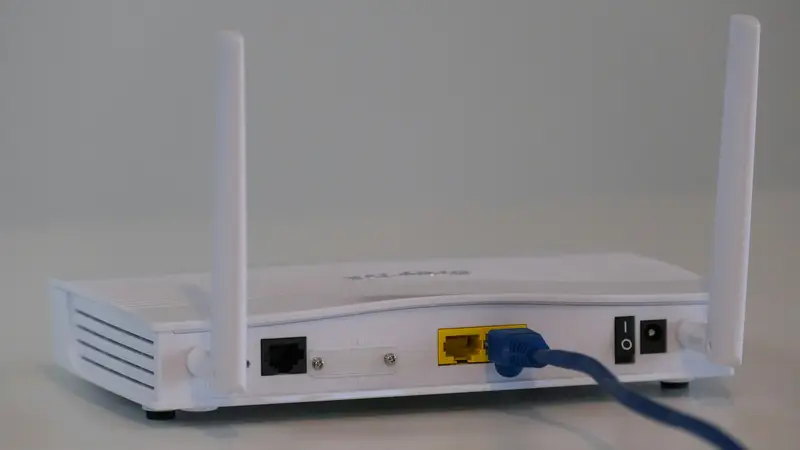
If you are not sure what speed you need, as a rough guide around 10 Mbps per stream is comfortable for HD and around 25 Mbps for 4K.
Price: what is reasonable?
Prices vary widely, but a transparent provider will show all its plans up front. At IPTVella, for example, plans are €9 for 1 month, €19 for 3 months, €35 for 6 months and €59 for 12 months, with no contract and no auto-renewal. You can compare the options on the plans page.
As a rule:
- Use the free test to check quality.
- Take a short plan if you want extra reassurance.
- Move to a longer plan once you are confident, for a lower monthly cost.
For a deeper look at how price relates to quality, read cheap vs premium IPTV.
Making your final decision
Once you have tested two or three services, compare your notes. The provider that scored best on stability, compatibility and support is usually the right one, even if it costs a couple of euros more per month. Saving €2 is not worth much if the picture freezes during the moments you care about.
Think about the whole household as well. If the service is mainly for you, your own impressions are enough. If it is for a family, ask the others to try it during the trial: someone who loves films will notice different things from someone who mostly watches live news or sport. Check that parental controls are available if children use the TV, and that the menus are simple enough for everyone to find their way around.
Finally, consider how the provider handles the practical side. Is it clear how to order and pay? Do you receive your login details quickly? Are the terms, privacy policy and refund policy easy to find? These things say a lot about how a service is run.
If you would like a broader overview of features to compare, our guide to the best IPTV subscription goes into more detail on each point.
Conclusion
A good IPTV provider is stable at peak times, works on all your devices, prices its plans honestly and lets you test before you buy. Use the checklist above, keep notes during each trial and you will make a far better decision than by reading sales pages alone.
Ready to put IPTVella through the checklist? Request your free 24-hour test and see how it performs in your own living room.
Questions and answers
What should I ask an IPTV provider before buying?
Ask which devices and apps are supported, whether you get M3U and Xtream logins, whether a TV guide is included, how support works and whether you can test for free first.
How many connections does an IPTV provider usually allow?
Most plans include one connection, meaning one device streaming at a time. If several people in your home watch at once, check whether extra connections are available.
Is a more expensive IPTV provider always better?
Not always, but extremely low prices often mean overloaded servers. Compare on stability, support and transparency rather than price alone.
Ready to try IPTVella?
Test the picture quality and channel list on your own TV for 24 hours, free. No card needed.